Place 3 · LAX 렌터카 픽업 - 샌프란시스코 로드트립
Travel English · 여행영어 300
Before the Trip — Reserve a Rental Car
Before leaving Korea, reserve your rental car online.
Go to the National Car Rental website.
Choose Los Angeles International Airport, LAX, as your pickup location.
Enter your pickup date and time.
If you plan to return the car in another city, select a different return location.
For this trip, the passenger will pick up the car at LAX and return it later at San Francisco International Airport.
Choose your vehicle. We selected Hyundai Kona.
Next, select your insurance coverage.
Add property damage liability coverage.
Add bodily injury liability coverage.
Add any other coverage you may need.
The total price including the selected coverage is displayed.
Click the reserve button.
Save your reservation confirmation on your phone.
I'd like to reserve a car at LAX.
Can I return the car at a different location?
Is there an additional one-way fee?
Does the price include insurance?
What do I need to bring when I pick up the car?
Arriving at LAX — Wi-Fi
The passenger has completed the U.S. entry process and picked up his baggage.
He is now on the Arrivals Level at LAX.
Before looking for his rental car, he needs internet access for his reservation and navigation.
He sees an airport information desk.
Passenger: Excuse me. Is there free Wi-Fi at the airport?
Airport Staff: Yes, there is.
Passenger: How do I connect to it?
Airport Staff: Open the Wi-Fi settings on your phone and select the airport Wi-Fi network.
Passenger: Do I need a password?
Airport Staff: No. Just follow the instructions on your screen.
Passenger: Got it. Thank you.
Airport Staff: You're welcome.
Finding National Car Rental
Now the passenger is connected to Wi-Fi.
He checks his National reservation on his phone.
National Car Rental is not inside the passenger terminal.
He needs to take a shuttle to the Rental Car Center.
Passenger: Excuse me. I have a reservation with National Car Rental. Where do I go?
Airport Staff: You'll need to take the rental car shuttle.
Passenger: Where can I catch it?
Airport Staff: Go outside on the Arrivals Level and look for the purple Rental Car Shuttles sign.
Passenger: The purple sign?
Airport Staff: That's right.
Passenger: Is the shuttle free?
Airport Staff: Yes, it is.
Passenger: Does it take me to National?
Airport Staff: Yes. National is at the Rental Car Center.
Passenger: Thank you very much.
Airport Staff: You're welcome.
Taking the Rental Car Shuttle
The passenger takes his suitcase outside.
He stays on the Arrivals Level.
He looks for the purple sign that says Rental Car Shuttles.
He finds the shuttle stop and waits there.
When a shuttle arrives, he doesn't just get on.
He asks the driver first.
Passenger: Excuse me. Does this shuttle go to the Rental Car Center?
Driver: Yes, it does.
Passenger: I'm renting from National.
Driver: You're in the right place.
Passenger: Can I bring my luggage on the shuttle?
Driver: Of course.
Passenger: Thank you.
At National Car Rental
The shuttle arrives at the Rental Car Center.
The passenger finds the green National Car Rental sign.
He has his passport, driver's license, credit card, and reservation information ready.
Agent: Welcome to National. How can I help you?
Passenger: Hi. I have a reservation.
Agent: May I see your driver's license and passport?
Passenger: Sure. Here you go.
Agent: May I also have the credit card you'll be using?
Passenger: Sure.
Agent: Where are you headed?
Passenger: San Francisco.
Agent: All right.
Passenger: I'll be driving around California. How do tolls work with this rental car?
That last question is important.
Do not leave the rental counter until you understand how tolls will be charged.
TollPass — Understand This Before You Drive
National calls its electronic toll program TollPass.
It does not simply mean that all tolls are included in the rental price.
On covered roads, National can electronically identify the rental vehicle and charge eligible tolls to the payment method associated with your rental, along with applicable TollPass convenience charges.
Coverage and charges vary by road and region.
Passenger: How does TollPass work?
Agent: On covered toll roads, your tolls can be processed electronically through our TollPass service.
Passenger: So I don't have to stop and pay cash?
Agent: That's right on roads that use electronic tolling.
Passenger: Will the toll be charged to my credit card?
Agent: Yes, toll charges and applicable service charges can be billed to the payment method on your rental agreement.
Passenger: Is there an extra service fee?
Agent: Yes. Let me explain the charges that apply to your rental.
Passenger: Are all toll roads covered?
Agent: No. Coverage can vary, so check before using a toll road or express lane.
Passenger: Okay. Could you show me which toll option applies to my rental?
Agent: Of course.
This is what a first-time visitor should ask.
How do I pay tolls with this car?
Are there any additional fees?
Can I use this toll lane?
Never assume that every toll road has a booth where you can hand someone cash.
National specifically notes that many toll facilities use electronic collection.
Before Leaving the Parking Lot
The passenger finds his car.
Don't drive away immediately.
First, walk around the car.
Check for scratches or damage.
Check the tires.
Find the headlights.
Find the turn signals.
Adjust your seat.
Adjust the rearview mirror.
Adjust both side mirrors.
Find the parking brake.
Check the fuel gauge.
Find the fuel door release.
And check which type of fuel the car requires.
If you don't know, ask.
Passenger: Excuse me. What kind of gas does this car take?
Agent: Regular unleaded.
Passenger: Regular unleaded?
Agent: That's right.
Passenger: Where do I open the fuel door?
Agent: Let me show you.
Passenger: Thank you.
Now the passenger is ready to set up his navigation.
Navigation — Do This Before Moving the Car
Do not try to set up navigation while driving.
Keep the car parked.
You can use Google Maps or another navigation app.
If Google Maps is not installed, open the App Store or Google Play and install it.
Open Google Maps.
Tap the search box.
Type:
San Francisco, California
Tap:
Directions
Select the car icon.
Look at the suggested route.
Then tap:
Start
Your navigation may say:
Turn right.
Turn left.
Keep right.
Keep left.
Take the next exit.
Take the ramp.
Merge onto the freeway.
Stay in the right lane.
Continue straight.
In two miles, take the exit.
Now put your phone in a safe phone holder.
Do not hold the phone while driving.
Which Direction Is San Francisco?
This is especially important for a visitor who doesn't know north, south, east, or west.
Los Angeles is in Southern California.
San Francisco is generally north of Los Angeles.
So when the route takes you onto Interstate 5 toward San Francisco, you will follow:
I-5 NORTH
Do not look only for:
I-5
Look at the direction too.
I-5 NORTH
and
I-5 SOUTH
go in opposite directions.
North means north.
South means south.
East means east.
West means west.
The exact highways used before reaching I-5 depend on where you start and the route your navigation selects.
So don't memorize every turn.
Follow your navigation and confirm the highway number and direction on the road signs.
American Road Words You Need to Know
Freeway
A high-speed road with controlled entrances and exits.
Highway
A general term for a major road. A highway is not necessarily a freeway.
Interstate
A highway in the Interstate Highway System.
For example:
I-5
means:
Interstate 5
North
Northbound direction.
South
Southbound direction.
Entrance
Where you enter.
Exit
Where you leave the freeway.
On-ramp
The road used to enter the freeway.
Off-ramp
The road used to leave the freeway.
Merge
Join moving traffic.
Lane
One section of the roadway for a line of vehicles.
Before the Freeway — Basic California Driving Rules
Before entering the freeway, let's learn the basic rules.
First, traffic lights.
Green Light
Green means go, but only when it is safe.
Do not drive into an intersection just because the light is green if another vehicle or a pedestrian is blocking your path.
Red Light
Red means stop.
Come to a complete stop.
In California, you may generally turn right on red after a complete stop if there is no NO TURN ON RED sign and it is safe.
But a red arrow means stop and remain stopped until an allowed signal appears.
Yellow Light
Yellow does not mean:
Speed up!
Yellow means the light is about to turn red.
If you can stop safely, stop.
If you cannot stop safely, proceed carefully through the intersection.
What Is a STOP Sign?
A STOP sign is not a traffic light.
It is a red, eight-sided road sign with the word:
STOP
When you see it, come to a complete stop.
Do not simply slow down and keep moving.
Look for the white line painted across your lane before the intersection.
That line is called the:
limit line
Stop before the limit line.
If there is no limit line, stop before entering the crosswalk.
If there is no crosswalk, stop before entering the intersection.
Look left.
Look right.
Look again.
Proceed when it is safe.
What Does DMV Mean?
You may hear us refer to the California DMV.
DMV means:
Department of Motor Vehicles
The California DMV issues driver's licenses and publishes California's official driving rules and driver's handbook.
For this lesson, our driving rules are based on the California DMV's guidance.
Entering the Freeway
Now the passenger approaches a freeway entrance.
His navigation says:
Keep right and take the ramp.
He sees the freeway sign.
He checks both the highway number and direction.
He enters the on-ramp.
Now he needs to merge.
Increase your speed so that you are moving at or near the speed of freeway traffic.
Turn on your signal.
Check your rearview mirror.
Check your side mirror.
Look over your shoulder.
Check your blind spot.
Find a safe gap.
Merge smoothly.
Do not stop on the ramp unless it is absolutely necessary.
The vehicles already on the freeway have the right-of-way.
California DMV specifically instructs drivers entering a highway to approach the speed of traffic, use mirrors and signals, check over the shoulder, and merge when there is enough space.
Now we're on the freeway.
Next stop:
Lunch.
Looking for Food
After driving for a while, the passenger gets hungry.
He doesn't randomly leave the freeway.
He looks for a service sign showing food at an upcoming exit.
His navigation also shows restaurants near the exit.
He takes the exit.
Now he sees several restaurants.
He chooses a fast-food restaurant.
He drives into the parking lot.
He parks the car.
He turns off the engine.
He walks into the restaurant.
This time, there is no host taking him to a table.
He sees people standing in line at the counter.
So he joins the line.
He looks at the menu board while he waits.
When it is his turn, the employee calls him forward.
Employee: Hi! What can I get for you?
Passenger: I'd like a cheeseburger combo, please.
Employee: What would you like to drink?
Passenger: A Coke, please.
Employee: What size?
Passenger: Medium, please.
Employee: Anything else?
Passenger: No, that's all.
Employee: For here or to go?
Passenger: For here, please.
Employee: That'll be twelve forty-five.
Passenger: Can I pay by card?
Employee: Sure.
Passenger: Thank you.
Employee: Here's your receipt. We'll call your number when your order is ready.
Passenger: Thank you.
Now he knows what to do.
He keeps his receipt.
He waits until his order number is called.
Employee: Number 47!
Passenger: That's me.
He picks up his food and finds a table.
This is very different from walking into a sit-down restaurant and waiting for a host to seat you.
Using the Restroom After Lunch
The passenger finishes his lunch.
Before getting back on the freeway, he decides to use the restroom.
He looks around the restaurant, but he doesn't see a restroom sign.
So he asks an employee.
Passenger: Excuse me. Where is the restroom?
Employee: It's in the back, on your left.
Passenger: Do I need a code to get in?
Employee: Yes. The code is on your receipt.
Passenger: Oh, I see. Thank you.
Employee: You're welcome.
He checks his receipt and finds the restroom code.
He walks to the back of the restaurant and finds the restroom.
He enters the code on the keypad and opens the door.
After using the restroom, he washes his hands and returns to the dining area.
Now he's ready to get back on the road.
Looking for Gas
After lunch, the passenger gets back on the freeway.
Later, the fuel gauge is getting low.
He sees a sign for:
GAS
He takes the exit.
He sees a gas station and drives in.
Now don't park anywhere.
Drive next to an available pump.
Make sure the fuel door is on the correct side of the pump.
Look at the pump number.
For example:
PUMP 6
Put the car in Park.
Turn off the engine.
Now check the fuel type.
Regular, Premium, or Diesel?
Do not choose fuel only by the color of the handle.
Read the label on the pump.
Gasoline pumps normally show different octane grades.
You may see:
Regular Unleaded
Mid-Grade
Premium
Your rental car may require Regular Unleaded.
Use the fuel specified for your vehicle.
Diesel is different.
Look specifically for the word:
DIESEL
Never put diesel into a gasoline car.
And never put gasoline into a diesel vehicle.
If you are unsure, stop and ask.
Passenger: Excuse me. Is this regular unleaded?
Employee: Yes, it is.
Passenger: My rental car says regular unleaded.
Employee: Then that's the one you want.
Passenger: Thank you.
Paying for Gas — The Part Visitors Often Don't Know
The passenger tries his foreign credit card at the pump.
The screen asks for information he cannot provide, or the card is declined at the pump.
Don't panic.
Remember your pump number.
Pump 6.
Leave the car parked at the pump.
Walk into the convenience store.
Go to the cashier.
Passenger: Hi. My card isn't working at the pump.
Cashier: Okay. What pump are you on?
Passenger: Pump six.
Cashier: How much would you like?
Passenger: Forty dollars, please.
Cashier: Okay. Forty on pump six.
Passenger: Can I pay by credit card?
Cashier: Sure.
Passenger: Thank you.
Cashier: You're all set.
Now go back to your car.
Go to Pump 6.
Select:
Regular Unleaded
Remove the nozzle.
Open your fuel door.
Remove the gas cap if necessary.
Insert the nozzle completely.
Squeeze the handle.
The fuel begins to flow.
When the pump automatically stops, release the handle.
Remove the nozzle carefully.
Put the nozzle back.
Replace the gas cap.
Close the fuel door.
Now the passenger is ready to continue his trip.
Back on the Road
The passenger gets back into the car.
Before moving, he checks his navigation again.
Destination:
San Francisco, California
He taps:
Start
He follows the signs back toward the freeway.
He checks the highway number.
He checks the direction.
North.
He enters the on-ramp.
He signals.
He checks his mirrors.
He checks his blind spot.
He matches the speed of traffic.
He merges safely.
Now he's back on the road to San Francisco.
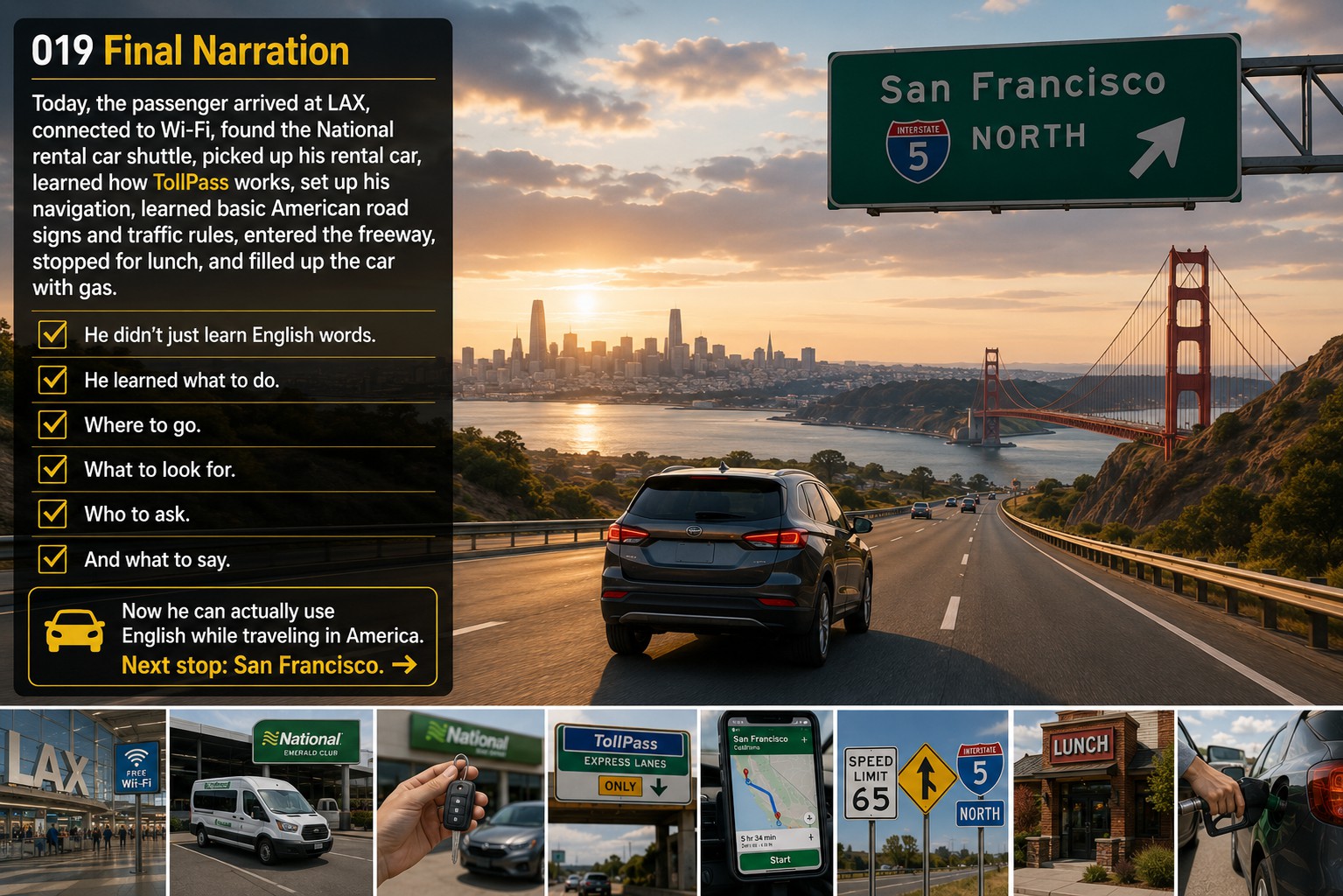
Final Narration
Today, the passenger arrived at LAX, connected to Wi-Fi, found the National rental car shuttle, picked up his rental car, learned how TollPass works, set up his navigation, learned basic American road signs and traffic rules, entered the freeway, stopped for lunch, learned how to order a fast food, how to use the restroom, and filled up the car with gas.
He didn't just learn English words.
He learned what to do.
Where to go.
What to look for.
Who to ask.
And what to say.
Now he can actually use English while traveling in America.
Next stop: San Francisco.
여행 전 — 렌터카 예약하기
한국을 떠나기 전에 온라인으로 렌터카를 예약합니다.
National Car Rental 웹사이트에 접속합니다.
차량을 인수할 장소로 Los Angeles International Airport, LAX를 선택합니다.
차량을 인수할 날짜와 시간을 입력합니다.
다른 도시에서 차량을 반납할 예정이라면 다른 반납 장소를 선택합니다.
이번 여행에서 승객은 LAX에서 차를 인수하고 나중에 샌프란시스코 국제공항에서 반납할 예정입니다.
차량을 선택합니다. 우리는 현대 코나를 선택했습니다.
다음으로 보험 보장 범위를 선택합니다.
대물 배상 책임보험을 추가합니다.
대인 배상 책임보험을 추가합니다.
필요한 다른 보장 항목을 추가합니다.
선택한 보장 내용을 포함한 총 요금이 표시됩니다.
예약 버튼을 클릭합니다.
예약 확인서를 휴대전화에 저장합니다.
LAX에서 렌터카를 예약하고 싶습니다.
다른 장소에서 차를 반납해도 되나요?
편도 반납에 추가 요금이 있나요?
이 요금에 보험이 포함되어 있나요?
차를 인수할 때 무엇을 가져가야 하나요?
LAX 도착 — Wi-Fi 연결하기
승객은 미국 입국 절차를 마치고 짐을 찾았습니다.
현재 LAX 도착층에 있습니다.
렌터카를 찾기 전에 예약 확인과 내비게이션 사용을 위해 인터넷에 연결해야 합니다.
공항 안내 데스크가 보입니다.
승객: 실례합니다. 공항에 무료 Wi-Fi가 있나요?
공항 직원: 네, 있습니다.
승객: 어떻게 연결하나요?
공항 직원: 휴대전화에서 Wi-Fi 설정을 열고 공항 Wi-Fi 네트워크를 선택하세요.
승객: 비밀번호가 필요한가요?
공항 직원: 아니요. 화면에 나오는 안내를 따라가시면 됩니다.
승객: 알겠습니다. 감사합니다.
공항 직원: 천만에요.
National Car Rental 찾아가기
이제 승객은 Wi-Fi에 연결되었습니다.
휴대전화에서 National 예약을 확인합니다.
National Car Rental은 여객 터미널 안에 있지 않습니다.
Rental Car Center까지 셔틀을 타고 가야 합니다.
승객: 실례합니다. National Car Rental에 예약했는데 어디로 가야 하나요?
공항 직원: 렌터카 셔틀을 타셔야 합니다.
승객: 어디에서 탈 수 있나요?
공항 직원: 도착층 밖으로 나가 보라색 Rental Car Shuttles 표지판을 찾으세요.
승객: 보라색 표지판이요?
공항 직원: 맞습니다.
승객: 셔틀은 무료인가요?
공항 직원: 네, 무료입니다.
승객: National까지 데려다주나요?
공항 직원: 네. National은 Rental Car Center에 있습니다.
승객: 정말 감사합니다.
공항 직원: 천만에요.
렌터카 셔틀 타기
승객은 여행가방을 가지고 밖으로 나갑니다.
도착층에 그대로 있습니다.
Rental Car Shuttles라고 쓰인 보라색 표지판을 찾습니다.
셔틀 정류장을 찾아 그곳에서 기다립니다.
셔틀이 도착했다고 무작정 타지 않습니다.
먼저 기사에게 확인합니다.
승객: 실례합니다. 이 셔틀이 Rental Car Center로 가나요?
기사: 네, 맞습니다.
승객: National에서 차를 빌립니다.
기사: 제대로 찾아오셨습니다.
승객: 짐을 셔틀에 가지고 타도 되나요?
기사: 물론입니다.
승객: 감사합니다.
National Car Rental에서
셔틀이 Rental Car Center에 도착합니다.
승객은 초록색 National Car Rental 간판을 찾습니다.
여권, 운전면허증, 신용카드와 예약 정보를 미리 준비합니다.
직원: National에 오신 것을 환영합니다. 무엇을 도와드릴까요?
승객: 안녕하세요. 예약했습니다.
직원: 운전면허증과 여권을 보여주시겠어요?
승객: 네. 여기 있습니다.
직원: 사용하실 신용카드도 주시겠어요?
승객: 네.
직원: 어디로 가시나요?
승객: 샌프란시스코입니다.
직원: 알겠습니다.
승객: 캘리포니아에서 운전할 예정인데요. 이 렌터카의 통행료는 어떻게 처리되나요?
마지막 질문이 중요합니다.
통행료가 어떻게 청구되는지 이해하기 전에는 렌터카 카운터를 떠나지 마세요.
TollPass — 출발 전에 반드시 알아두세요
National에서는 전자 통행료 프로그램을 TollPass라고 합니다.
모든 통행료가 렌터카 요금에 포함되어 있다는 뜻은 아닙니다.
해당되는 도로에서는 National이 렌터카를 전자적으로 확인하여 통행료와 적용되는 TollPass 서비스 요금을 렌터카에 등록된 결제수단으로 청구할 수 있습니다.
적용 범위와 요금은 도로와 지역에 따라 다릅니다.
승객: TollPass는 어떻게 이용하나요?
직원: 적용되는 유료도로에서는 TollPass 서비스를 통해 통행료를 전자적으로 처리할 수 있습니다.
승객: 그러면 차를 세우고 현금으로 낼 필요가 없나요?
직원: 네. 전자식 통행료 징수 도로에서는 그렇습니다.
승객: 통행료가 제 신용카드로 청구되나요?
직원: 네. 통행료와 적용되는 서비스 요금이 렌터카 계약서에 등록된 결제수단으로 청구될 수 있습니다.
승객: 추가 서비스 요금이 있나요?
직원: 네. 고객님의 렌터카에 적용되는 요금을 설명해 드리겠습니다.
승객: 모든 유료도로에 적용되나요?
직원: 아니요. 적용 범위가 다를 수 있으니 유료도로 또는 유료 급행차선을 이용하기 전에 확인하세요.
승객: 알겠습니다. 제 렌터카에 어떤 통행료 옵션이 적용되는지 보여주시겠어요?
직원: 물론입니다.
미국에서 처음 운전하는 여행자라면 이렇게 물어보는 것이 좋습니다.
이 차로 통행료는 어떻게 내나요?
추가 요금이 있나요?
이 유료 차선을 이용해도 되나요?
모든 유료도로에 현금을 직접 내는 톨게이트가 있다고 생각하면 안 됩니다.
National은 많은 통행료 시설이 전자식으로 요금을 징수한다고 명시하고 있습니다.
주차장을 떠나기 전에
승객이 자신의 차를 찾았습니다.
바로 출발하지 마세요.
먼저 차 주변을 한 바퀴 돌아봅니다.
긁힌 곳이나 손상된 곳이 있는지 확인합니다.
타이어를 확인합니다.
전조등 조작 장치를 확인합니다.
방향지시등을 확인합니다.
좌석을 조절합니다.
룸미러를 조절합니다.
양쪽 사이드미러를 조절합니다.
주차 브레이크 위치를 확인합니다.
연료 게이지를 확인합니다.
연료 주입구를 여는 방법을 확인합니다.
그리고 어떤 종류의 연료를 넣어야 하는지 확인합니다.
모르면 물어보세요.
승객: 실례합니다. 이 차에는 어떤 휘발유를 넣어야 하나요?
직원: Regular Unleaded입니다.
승객: Regular Unleaded요?
직원: 맞습니다.
승객: 연료 주입구는 어떻게 여나요?
직원: 제가 보여드리겠습니다.
승객: 감사합니다.
이제 승객은 내비게이션을 설정할 준비가 되었습니다.
내비게이션 — 차를 움직이기 전에 설정하세요
운전하면서 내비게이션을 설정하지 마세요.
차를 주차한 상태로 두세요.
Google Maps나 다른 내비게이션 앱을 사용할 수 있습니다.
Google Maps가 설치되어 있지 않다면 App Store 또는 Google Play를 열어 설치합니다.
Google Maps를 엽니다.
검색창을 누릅니다.
다음과 같이 입력합니다.
San Francisco, California
다음을 누릅니다.
Directions
자동차 아이콘을 선택합니다.
추천 경로를 확인합니다.
그런 다음 다음을 누릅니다.
Start
내비게이션에서 다음과 같은 안내가 나올 수 있습니다.
우회전하세요.
좌회전하세요.
오른쪽을 유지하세요.
왼쪽을 유지하세요.
다음 출구로 나가세요.
진입로로 들어가세요.
고속도로에 합류하세요.
오른쪽 차선을 유지하세요.
계속 직진하세요.
2마일 후 출구로 나가세요.
이제 휴대전화를 안전한 거치대에 놓으세요.
운전 중에는 휴대전화를 손에 들지 마세요.
샌프란시스코는 어느 방향인가요?
동서남북 방향에 익숙하지 않은 여행자에게 특히 중요한 부분입니다.
로스앤젤레스는 캘리포니아 남부에 있습니다.
샌프란시스코는 로스앤젤레스에서 대체로 북쪽에 있습니다.
따라서 샌프란시스코 방향으로 Interstate 5를 이용하게 되면 다음 표지판을 따라갑니다.
I-5 북쪽 방향
다음처럼 도로 번호만 보면 안 됩니다.
I-5
방향도 함께 확인하세요.
I-5 북쪽 방향
그리고
I-5 남쪽 방향
두 도로는 서로 반대 방향으로 갑니다.
North는 북쪽입니다.
South는 남쪽입니다.
East는 동쪽입니다.
West는 서쪽입니다.
I-5에 도달하기 전에 이용하는 정확한 도로는 출발 위치와 내비게이션이 선택한 경로에 따라 달라집니다.
따라서 모든 회전 방향을 외우려고 하지 마세요.
내비게이션을 따라가면서 도로 표지판의 고속도로 번호와 방향을 함께 확인하세요.
반드시 알아야 할 미국 도로 용어
고속도로
정해진 진입로와 출구를 통해 출입하는 고속 주행 도로입니다.
주요 간선도로
주요 도로를 폭넓게 부르는 말이며 Highway가 반드시 Freeway인 것은 아닙니다.
주간 고속도로
미국의 Interstate Highway System에 속하는 고속도로입니다.
예를 들어
I-5
다음을 의미합니다.
Interstate 5번 도로
북쪽
북쪽으로 가는 방향입니다.
남쪽
남쪽으로 가는 방향입니다.
입구, 진입로
도로에 들어가는 곳입니다.
출구
고속도로에서 빠져나가는 곳입니다.
고속도로 진입로
고속도로에 진입할 때 사용하는 연결도로입니다.
고속도로 출구
고속도로에서 빠져나갈 때 사용하는 연결도로입니다.
합류하다
주행 중인 차량 흐름에 합류하는 것입니다.
차선
차량 한 줄이 주행하도록 구분된 도로 공간입니다.
고속도로 진입 전 — 캘리포니아 기본 운전수칙
고속도로에 진입하기 전에 기본 운전수칙을 알아보겠습니다.
먼저 신호등입니다.
초록불
초록불은 진행하라는 뜻이지만 안전할 때만 진행합니다.
신호가 초록불이라고 해도 다른 차량이나 보행자가 길을 막고 있다면 교차로로 진입하지 마세요.
빨간불
빨간불은 정지를 의미합니다.
완전히 정지하세요.
캘리포니아에서는 NO TURN ON RED 표지판이 없고 안전하다면 빨간불에서 완전히 정지한 후 일반적으로 우회전할 수 있습니다.
하지만 빨간색 화살표 신호에서는 정지하고 허용 신호가 나올 때까지 기다려야 합니다.
노란불
노란불은 다음을 의미하지 않습니다.
속도를 높이세요!
노란불은 곧 빨간불로 바뀐다는 뜻입니다.
안전하게 멈출 수 있다면 정지하세요.
안전하게 멈출 수 없는 상황이라면 주의하면서 교차로를 통과하세요.
STOP 표지판이란 무엇인가요?
STOP sign은 신호등이 아닙니다.
다음 글자가 적힌 빨간색 팔각형 도로 표지판입니다.
정지
이 표지판을 보면 완전히 정지하세요.
속도만 줄인 채 계속 진행하면 안 됩니다.
교차로 앞에서 차선을 가로질러 그어진 흰색 선을 찾으세요.
그 선을 다음과 같이 부릅니다.
정지선
정지선 앞에서 멈추세요.
정지선이 없다면 횡단보도에 진입하기 전에 정지하세요.
횡단보도도 없다면 교차로에 진입하기 전에 정지하세요.
왼쪽을 확인하세요.
오른쪽을 확인하세요.
다시 한번 확인하세요.
안전할 때 진행하세요.
DMV는 무슨 뜻인가요?
California DMV라는 말을 들을 수 있습니다.
DMV는 다음의 약자입니다.
차량관리국
California DMV는 운전면허증을 발급하고 캘리포니아의 공식 운전 규칙과 운전자 안내서를 제공합니다.
이번 수업의 운전 규칙은 California DMV의 공식 안내를 기준으로 합니다.
고속도로 진입하기
이제 승객이 고속도로 진입로에 접근합니다.
내비게이션에서 다음과 같이 안내합니다.
오른쪽을 유지하고 진입로로 들어가세요.
고속도로 표지판이 보입니다.
고속도로 번호와 방향을 모두 확인합니다.
고속도로 진입로로 들어갑니다.
이제 본선에 합류해야 합니다.
고속도로의 차량 흐름과 비슷한 속도가 되도록 속도를 높입니다.
방향지시등을 켭니다.
룸미러를 확인합니다.
사이드미러를 확인합니다.
어깨 너머로 직접 확인합니다.
사각지대를 확인합니다.
안전하게 들어갈 공간을 찾습니다.
부드럽게 합류합니다.
꼭 필요한 상황이 아니라면 진입로에서 멈추지 마세요.
이미 고속도로를 주행하고 있는 차량에 우선권이 있습니다.
California DMV는 고속도로에 진입하는 운전자에게 차량 흐름과 비슷한 속도로 접근하고, 거울과 방향지시등을 사용하며, 어깨 너머로 확인한 뒤 충분한 공간이 있을 때 합류하라고 구체적으로 안내합니다.
이제 고속도로에 진입했습니다.
다음 목적지는
점심 식사입니다.
식당 찾기
한동안 운전하자 승객은 배가 고파집니다.
아무 출구로나 무작정 빠져나가지 않습니다.
앞으로 나올 출구에 식당이 있다는 서비스 표지판을 찾습니다.
내비게이션에도 출구 근처 식당들이 표시됩니다.
출구로 나갑니다.
이제 여러 식당이 보입니다.
패스트푸드 식당 하나를 선택합니다.
주차장으로 들어갑니다.
차를 주차합니다.
시동을 끕니다.
식당 안으로 들어갑니다.
이번에는 테이블로 안내해 주는 직원이 없습니다.
카운터 앞에 사람들이 줄을 서 있는 것이 보입니다.
그래서 줄을 섭니다.
기다리는 동안 메뉴판을 봅니다.
차례가 되자 직원이 주문을 받습니다.
직원: 안녕하세요. 무엇을 드릴까요?
승객: 치즈버거 세트 하나 주세요.
직원: 음료는 무엇으로 하시겠어요?
승객: 콜라로 주세요.
직원: 어떤 크기로 드릴까요?
승객: 미디엄으로 주세요.
직원: 더 필요한 것은 있으세요?
승객: 아니요. 그게 전부입니다.
직원: 드시고 가실 건가요, 가지고 가실 건가요?
승객: 여기서 먹겠습니다.
직원: 12달러 45센트입니다.
승객: 카드로 결제해도 되나요?
직원: 물론입니다.
승객: 감사합니다.
직원: 영수증 여기 있습니다. 주문이 준비되면 번호를 불러드리겠습니다.
승객: 감사합니다.
이제 무엇을 해야 하는지 알았습니다.
영수증을 가지고 있습니다.
자신의 주문번호가 불릴 때까지 기다립니다.
직원: 47번!
승객: 저예요.
음식을 받아 테이블을 찾아갑니다.
이 방식은 일반 식당에 들어가 안내 직원이 자리를 안내해 줄 때까지 기다리는 것과는 매우 다릅니다.
점심 식사 후 화장실 이용하기
승객은 점심 식사를 마칩니다.
고속도로로 돌아가기 전에 화장실에 가기로 합니다.
식당 안을 둘러보지만 화장실 표지판이 보이지 않습니다.
그래서 직원에게 물어봅니다.
승객: 실례합니다. 화장실이 어디에 있나요?
직원: 안쪽 왼편에 있습니다.
승객: 들어가려면 비밀번호가 필요한가요?
직원: 네. 비밀번호는 영수증에 적혀 있습니다.
승객: 아, 알겠습니다. 감사합니다.
직원: 천만에요.
영수증을 확인해 화장실 비밀번호를 찾습니다.
식당 안쪽으로 걸어가 화장실을 찾습니다.
키패드에 비밀번호를 입력하고 문을 엽니다.
화장실을 이용한 후 손을 씻고 식사 공간으로 돌아옵니다.
이제 다시 출발할 준비가 되었습니다.
주유소 찾기
점심 식사 후 승객은 다시 고속도로에 진입합니다.
얼마 후 연료가 얼마 남지 않았습니다.
다음 표지판이 보입니다.
주유소
출구로 나갑니다.
주유소를 발견하고 들어갑니다.
아무 곳에나 차를 세우면 안 됩니다.
비어 있는 주유기 옆으로 차를 이동합니다.
차량의 연료 주입구가 주유기 쪽에 오도록 확인합니다.
주유기 번호를 확인합니다.
예를 들어
6번 주유기
기어를 P에 놓습니다.
시동을 끕니다.
이제 연료 종류를 확인합니다.
Regular, Premium, Diesel 구별하기
주유건의 색깔만 보고 연료를 선택하지 마세요.
주유기에 표시된 글자를 확인하세요.
휘발유 주유기에는 일반적으로 서로 다른 옥탄가가 표시되어 있습니다.
다음과 같은 표시를 볼 수 있습니다.
일반 무연휘발유
중간 등급 휘발유
고급휘발유
렌터카에는 Regular Unleaded가 지정되어 있을 수 있습니다.
차량에 지정된 연료를 사용하세요.
경유는 다릅니다.
다음 단어를 반드시 확인하세요.
경유
휘발유 차량에 경유를 넣으면 안 됩니다.
경유 차량에 휘발유를 넣어서도 안 됩니다.
확실하지 않으면 주유하지 말고 직원에게 물어보세요.
승객: 실례합니다. 이것이 Regular Unleaded인가요?
직원: 네, 맞습니다.
승객: 제 렌터카에는 Regular Unleaded라고 되어 있습니다.
직원: 그러면 그것을 사용하시면 됩니다.
승객: 감사합니다.
주유비 결제하기 — 여행자가 가장 당황하기 쉬운 부분
승객이 주유기에서 해외 발급 신용카드로 결제를 시도합니다.
화면에서 입력하기 어려운 정보를 요구하거나 카드가 주유기에서 승인되지 않습니다.
당황하지 마세요.
주유기 번호를 기억하세요.
6번 주유기입니다.
차는 주유기 옆에 그대로 세워둡니다.
주유소 건물 안의 편의점으로 들어갑니다.
계산대로 갑니다.
승객: 안녕하세요. 주유기에서 제 카드가 작동하지 않습니다.
직원: 알겠습니다. 몇 번 주유기인가요?
승객: 6번입니다.
직원: 얼마어치 넣으시겠어요?
승객: 40달러어치 부탁합니다.
직원: 알겠습니다. 6번에 40달러입니다.
승객: 신용카드로 결제할 수 있나요?
직원: 물론입니다.
승객: 감사합니다.
직원: 됐습니다.
이제 차로 돌아갑니다.
6번 주유기로 갑니다.
다음을 선택합니다.
일반 무연휘발유
주유건을 꺼냅니다.
연료 주입구 덮개를 엽니다.
필요하다면 연료 주입구 뚜껑을 엽니다.
주유건을 완전히 넣습니다.
손잡이를 당깁니다.
주유가 시작됩니다.
주유기가 자동으로 멈추면 손잡이를 놓습니다.
주유건을 조심스럽게 뺍니다.
주유건을 제자리에 놓습니다.
연료 주입구 뚜껑을 닫습니다.
연료 주입구 덮개를 닫습니다.
이제 승객은 여행을 계속할 준비가 되었습니다.
다시 샌프란시스코로
승객은 다시 차에 탑니다.
출발하기 전에 내비게이션을 다시 확인합니다.
목적지는
캘리포니아주 샌프란시스코입니다.
다음을 누릅니다.
Start
고속도로 방향 표지판을 따라갑니다.
고속도로 번호를 확인합니다.
방향을 확인합니다.
북쪽입니다.
고속도로 진입로로 들어갑니다.
방향지시등을 켭니다.
거울을 확인합니다.
사각지대를 확인합니다.
교통 흐름에 맞게 속도를 조절합니다.
안전하게 본선에 합류합니다.
이제 다시 샌프란시스코를 향해 달립니다.
마지막 나레이션
오늘 승객은 LAX에 도착하여 Wi-Fi에 연결하고, National 렌터카 셔틀을 찾아 렌터카를 인수하고, TollPass 이용법을 배우고, 내비게이션을 설정하고, 미국의 기본 도로 표지판과 교통법규를 익힌 뒤 고속도로에 진입하여 점심을 먹으며 패스트푸드 주문 방법과 화장실 이용 방법을 배우고 주유까지 마쳤습니다.
단순히 영어 단어만 배운 것이 아닙니다.
무엇을 해야 하는지 배웠습니다.
어디로 가야 하는지 배웠습니다.
무엇을 찾아야 하는지 배웠습니다.
누구에게 물어봐야 하는지 배웠습니다.
그리고 무엇이라고 말해야 하는지 배웠습니다.
이제 미국을 여행하면서 실제로 영어를 사용할 수 있습니다.
다음 목적지는 샌프란시스코입니다.
place3.mp3 파일을 이 페이지와 같은 폴더에 넣으세요.
핵심 표현 (Key Phrases)
I'd like to reserve a car at LAX.
How does TollPass work?
What kind of gas does this car take?
Is this regular unleaded?
Can I pay by credit card?
Flash Cards (유자막)
각 카드 번호에 맞는 mp3 파일(001.mp3 ~ 338.mp3)을 이 페이지와 같은 폴더에 넣으세요.
설명 (Notes)
이 레슨은 LAX 국제공항에서 렌터카를 예약하고 픽업한 뒤 샌프란시스코까지 운전해 가는 전 과정을 다룹니다. 예약 확인, 공항 Wi-Fi 연결, National Car Rental 셔틀 이용, 렌터카 계약과 TollPass(전자 통행료 시스템) 이해, 출발 전 차량 점검과 내비게이션 설정, 고속도로 진입과 기본 교통 신호 규칙, STOP 표지판과 DMV(차량관리국) 관련 용어, 그리고 주유소에서 연료 종류를 확인하고 결제하는 방법까지 순서대로 익힐 수 있습니다.
'TollPass'는 렌터카 이용 시 통행료를 전자적으로 결제하는 서비스를, 'on-ramp'와 'off-ramp'는 각각 고속도로 진입로와 출구를 의미합니다. 낯선 미국 고속도로에서는 도로 번호뿐 아니라 NORTH·SOUTH 같은 방향 표시도 함께 확인하는 습관을 들이세요.